
Wir sind der Vertriebspartner von Projekt Neptun für HP, Lenovo und Microsoft und hoffen, dass du etwas Passendes bei uns findest.
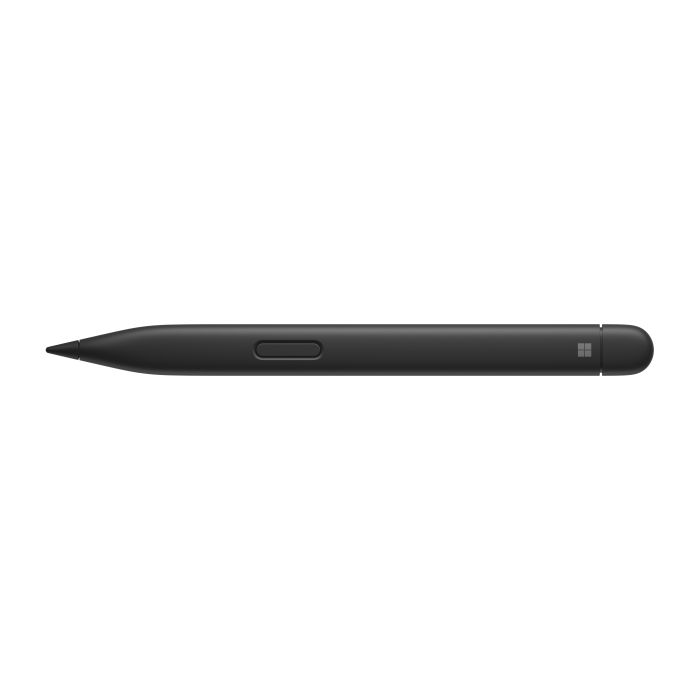
Microsoft Surface Slim Pen 2 Black
Write, sketch, navigate and charge. All this and more
In stock

Description
OVERVIEW
FAST, FLUID AND PERFECT FOR YOUR SURFACE
Our best pen yet with real-time recording, pinpoint precision and incredible shading thanks to a sharper pen tip and improved design. Natural note-taking - thanks to the haptic motor in the Surface Slim Pen, writing and drawing on the PC screen feels like writing on paper.
ELEGANT AND COMFORTABLE
The slim, hand-inspired style is perfect for all hands and is easy to hold and control.
EXCEPTIONAL ACCURACY, NEARLESS WORKFLOW, BETTER CONTROL
Work more accurately thanks to a redesigned, more precise pen tip.
THE BEST SHADING EXPERIENCE EVER
Thanks to a sharper pen tip and improved design, you can operate the screen at a perfect 77° tilt. This enables ultra-precise shading and exceptional pressure sensitivity of 4,096 points.
FREEHAND FOR ALL
Use the natural and inclusive note-taking, sketching and navigation features that feel like you're using the pen on paper when paired with Surface Pro 8 or Surface Laptop Studio with the built-in haptic engine.
ALWAYS CHARGED AND READY
You can use the Surface Slim Pen right away to unleash your creativity. Even better, with wireless charging and secure storage built into the Surface Pro Signature Keyboard or Surface Laptop Studio. you'll always know where it is.
HOLD YOUR IDEAS NOW
Brainstorm or create notes with others via Microsoft Teams or in Microsoft Whiteboard. Also edit presentations on the spot, fill out and sign documents, or use personal handwritten notes in Microsoft Journal.
ACCESSIBLE WORKING
Tactile signals make it easy to recognize when you've successfully used natural gestures like circling to select and swiping to delete in Microsoft Word and Excel. The strength of tactile signals when using Surface Slim Pen can be easily adjusted or even turned off via the Windows settings.
UNLEASH YOUR CREATIVITY IN THE APPS YOU USE
Create optimal results in Adobe Fresco, Photoshop and more, and collaborate and create handwritten notes in Microsoft Teams. Collect unstructured ideas using Microsoft Whiteboard and work with others simultaneously in freehand mode.Use the freehand editor in Microsoft Word, or use the top button as a slideshow clicker to switch to Microsoft PowerPoint slides.
Specifications
Product Details
- SKU 8WX-00002
Weight and Dimensions
- Width 137.3 mm
- Depth 11.7 mm
- Height 6.4 mm
- Weight 0.014 kg
General
- Angebote / Flags Neptun Price
- Manufacturer Microsoft
- Business Line Workplace
-
Compatibility
Surface Laptop Studio
Surface Pro 8 - 9
Surface Pro X
Surface Duo 2
Surface Hub 2S
Surface Slim Pen 2 Pen Tips
Surface Slim Pen Charger - Product color Black
- Service Line Hardware